Smart Vektor Editorial
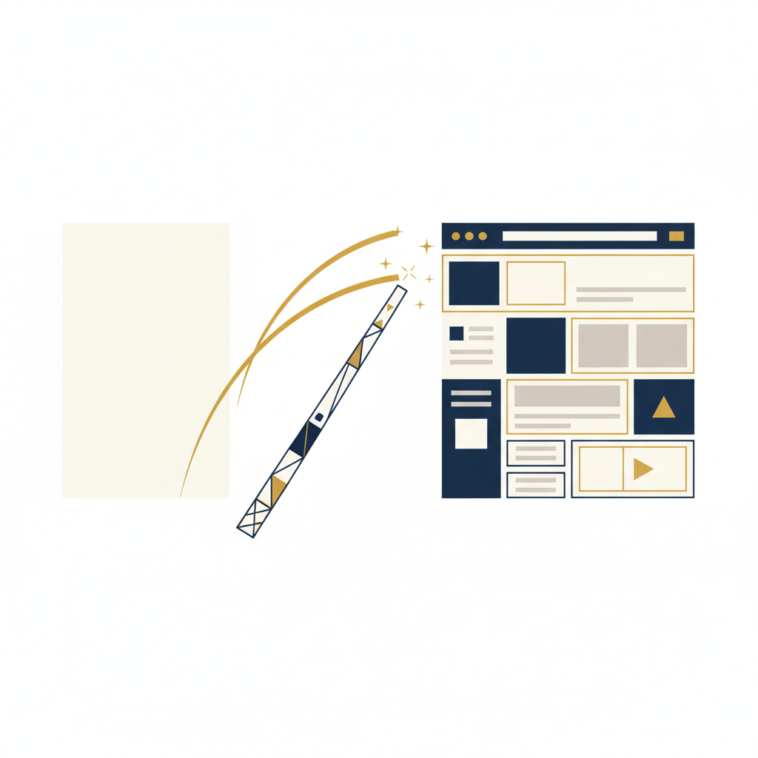
How Claude’s `/design` Command Can Help Solopreneurs Ship Landing Pages Faster
For builders and solopreneurs, the promise of AI isn’t just about automation; it’s about acceleration. Shipping products, features, and marketing assets quickly is paramount. While many AI tools can generate text, Claude’s `/design` command offers a unique capability: generating full-stack web application code, including design systems and components, from high-level prompts. This allows for a significantly streamlined workflow, particularly when it comes to building a new landing page.
The core challenge for many solopreneurs is wearing multiple hats. They are the product manager, the marketer, the developer, and the designer. Each of these roles demands specific skills and time. Traditional web development, even with frameworks and libraries, still requires a deep understanding of HTML, CSS, JavaScript, and often a design system to ensure consistency and maintainability. This is where Claude’s `/design` command can be a game-changer. Instead of meticulously hand-coding each element or wrestling with complex visual builders, you can instruct Claude to generate the foundational code, allowing you to focus on content and strategic refinements.
From Concept to Code: The `/design` Workflow
Let’s walk through a practical example: building a landing page for a new SaaS product. Imagine you have a clear vision for your product, “AI-Powered Smart Widgets,” and you need a landing page to capture early interest. The traditional path would involve:
- Design: Sketching layouts, choosing colors, defining typography, and creating mockups in tools like Figma or Sketch.
- Frontend Development: Translating those designs into HTML, CSS (using a framework like Tailwind CSS or a custom stylesheet), and JavaScript for interactivity.
- Backend (if needed): Setting up form submissions, database integration, etc.
With Claude’s `/design` command, this process can be dramatically condensed. You start with a detailed prompt, describing the landing page’s purpose, key sections, desired aesthetic, and any specific components.
Crafting Your `/design` Prompt for a Landing Page
The effectiveness of Claude’s `/design` command hinges on the clarity and detail of your prompt. Think of it as briefing a highly skilled but literal developer. Here’s a breakdown of what a good prompt for a landing page might include:
- Overall Goal: “Create a responsive landing page for a new SaaS product called ‘AI-Powered Smart Widgets’.”
- Target Audience: “Small business owners looking to automate tasks.”
- Key Sections:
- Hero Section: Catchy headline, clear call to action (CTA), compelling image/video background.
- Problem/Solution: Briefly outline the pain points addressed by Smart Widgets.
- Features: List 3-5 key features with icons and short descriptions.
- Testimonials: Placeholder for customer quotes.
- Pricing (Optional): Simple pricing tiers.
- FAQ: A few common questions.
- Call to Action (Footer): Another prominent sign-up button.
- Design Aesthetic: “Modern, clean, and professional. Use a vibrant color palette (e.g., shades of blue and green) with ample whitespace. Flat design elements.”
- Technical Specifications: “Use React and Tailwind CSS. Ensure it’s fully responsive for desktop, tablet, and mobile. Include basic accessibility considerations.”
- Specific Components: “A navigation bar with ‘Features’, ‘Pricing’, and ‘Contact’ links. A newsletter sign-up form in the footer.”
The more specific you are, the better the initial output. For instance, instead of just “vibrant colors,” you might specify hex codes or suggest a color scheme. Instead of “ample whitespace,” you might suggest specific padding or margin values for certain sections. Claude can interpret these instructions and translate them into a coherent design system and component structure.
Examining the Output: What Claude Delivers
When you execute the `/design` command with a prompt like the one above, Claude will generate a comprehensive code package. This typically includes:
- React Components: Modular, reusable components for each section (e.g.,
HeroSection.jsx,FeaturesSection.jsx). - Tailwind CSS Configuration: A
tailwind.config.jsfile, potentially customized with your specified colors, fonts, and spacing. - Main Application File: An
App.jsxor similar file that assembles these components into the full page. - Utility Styles: Any additional global CSS if necessary.
- Instructions: Guidance on how to set up the project (e.g.,
npx create-react-app, install Tailwind, run the app).
The beauty of this output is its structured nature. It’s not just a block of HTML; it’s a functional, component-based application ready for immediate use. For a solopreneur, this means skipping the tedious initial setup and boilerplate coding. You receive a solid foundation that you can then easily modify.
Refining and Shipping Your Landing Page
Once Claude provides the initial code, your role shifts from coder to editor and content strategist. Here’s how you’d proceed to ship a real landing page:
- Set Up the Project: Follow Claude’s instructions to initialize your React project and integrate the generated code. This usually involves copying files into the correct directories and running `npm install`.
- Populate Content: Replace placeholder text with your actual product benefits, feature descriptions, and testimonials. This is where your marketing message truly shines.
- Customize Styling: While Claude provides a strong starting point, you’ll likely want to tweak colors, fonts, spacing, and component layouts to perfectly match your brand. Since it uses Tailwind CSS, these adjustments are typically straightforward by modifying class names.
- Add Interactivity: Implement the functionality for your newsletter sign-up form, integrate with an email marketing service, or add any dynamic elements.
- SEO Optimization: Add meta descriptions, title tags, and ensure semantic HTML for better search engine visibility.
- Deployment: Deploy your finished landing page to a hosting service like Vercel, Netlify, or AWS Amplify.
The key advantage here is that the foundation is strong. Claude’s output adheres to modern development practices (component-based, responsive, using a popular CSS framework). This minimizes technical debt and makes future modifications much easier. Instead of spending days on initial setup and design translation, you’re spending hours refining and deploying.
Why `/design` Matters for Solopreneurs
The `/design` command empowers solopreneurs by:
- Reducing Time to Market: Quickly generate functional prototypes and MVPs, allowing you to validate ideas faster.
- Lowering Technical Barrier: Even if you’re not a full-stack developer, you can get a robust web application foundation with minimal hand-coding.
- Ensuring Consistency: Claude generates code with a coherent design system, helping maintain a professional aesthetic across your page.
- Enabling Iteration: With a solid codebase, making changes and iterating on your design and content becomes a much less daunting task.
In essence, Claude’s `/design` command acts as an incredibly efficient junior developer and designer, handling the initial heavy lifting so you can focus on the strategic and creative aspects of launching your product.
Disclosure: This article may contain affiliate links… produced with AI assistance and human review — see How We Work.